

Recently my one of friend, moved their blog, blogger to WordPress. but he’s totally confused in how to use WordPress. In WordPress, all functions are different and bit difficult than blogger.com. so, he asked me, many questions related to WP and i answered and helped him as well.
Also Read:- Creating a professional blog with WordPress
His one of simple question was that he asked “How to add widgets in WordPress blog“ :) . As we know that every bloggers loves to add widgets in their blog for getting benefit from sidebar and footer by adding ads and blogroll links etc. Well, if you are on WordPress blog and If you’d like to place the widget in your WordPress blog sidebar, follow these instructions.
Also Read:- How to Schedule Posts In WordPress
It will Probably NOT work if you have ‘Hosted’ blog with WordPress.com so, make sure your blog is hosted on your own server.
Clear that? , then follow the instructions below..
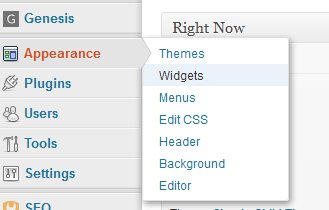
Step :1 In your WordPress Dashboard, click Appearance on the left side of your screen and click Widgets
Step 2: Add a Text widget to your sidebar by dragging the widget from the widgets displayed on the left into your sidebar
 Step 3:
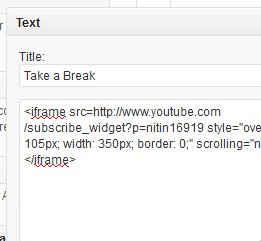
Copy and Paste the code into the widget, you’d like to place on your blog and click save. You can also add a title to your widget if you want
That’s it !
You can add multiple widgets to your sidebar if you like! Just copy the code and paste it into a new Text widget :)
